13 April 2011

FIFA 11


Nowadays, the football fever is everywhere among the people of the different countries. Recently, we have witnessed the FIFA 2010. It is the biggest football championship in international level. Actually, I am a soccer freak. And I know, same would be other people too. So, for the soccer freaks and players, here is the best mobile game for you, FIFA 11.


The Splash Screen

It is the official game from FIFA and has been developed by none other than, EA Sports.
Features:
1. Highly customizable game.
2. Set Difficulty level, game length, and language.
3. Make your own virtual player and make him an international champion by playing against other teams.
4. A good help menu.
5. Landscape mode included.

Game modes:
There are basically, 7 game modes including:
1.Friendly
2.Free kick challenge
3.Training ground (Your very own soccer field on your Corby!)
4.Season
5.Virtual Pro (Your own replica on your Corby!)
6.My Cup
7.Penalties


Some screen shots:
qrcode
QR Code 


So, these were the game modes. Now, I leave it up to you. What? Just go ahead and download this amazing app and get playing FIFA! 


Tags:fifa 2011, mobile touchscreen fifa 2011, fifa 11, touch fifa11, corby fifa 2011, samsung corby fifa 2011


10 April 2011

Jurassic Park - Full Touch Game

Experience a unique and thrilling adventure with the official mobile game of the movie that has become the most recognized dinosaur franchise the world over. Discover a new story of Jurassic Park and play as Ian Malcolm and Alan Grant to explore the jungle, rivers and facilities of Isla Nublar. Fight off poachers and mercenaries or try to escape dreadful dinosaurs like raptors. Enjoy fun bonus levels and control the infuriated T-Rex or escape from it in a vehicle!


Screenshots:


Tags: jurassic park touchscreen, working jurassic park touchscreen version, jurassic park for corby, jurassic park for samsung s3653, corby S3653.


04 April 2011

Run upto 5 applications at a time. More Multitasking!


I was playing with my corby today and found an amazing thing! I was browsing the internal settings of corby and found lots of things. And the most amazing hidden feature that I found was multitasking options.
Normally Corby supports upto 3 applications to run at a time. But many people want always more. So, I found a way through which you can run more than 3 Java applications or games. Proceed in the following way:
1. Go to keypad.
2. Enter *#5239870*# in the keypad. Admin settings page will appear.               
3. Now, there would be 5 options – Software Version || Pre-Configuration || Network & Call settings ||Internals || Feature settings
4. Tap on the 4th option – | Internals |
5. Now, the screen will ask for the Master Key.
6. In this screen, enter *#7092463*# as the key. Press OK
7. Now, lots of options will appear. 8.Tap on the 7th option - ||Java settings||
9. Now, tap on ||VM setting||. A window will appear.
10. Tap on ||MVM MIDlet max count||.
11. By default, the radio button would be in No. 3.
12. Now, tap on ‘5’ . Then ‘Select’
13. Now, you will return back to VM Settings window. Here, select |Save|
14. Now, all is set. Your phone will show “VM Settings saved. Phone will reboot automatically.”
15. It’s done! Enjoy with multitasking.

(Don’t mess around with the options. Please follow the procedures that we give to be on the safe side. If you do something wrong, you will seriously mess up your phone. It may ‘die’ ! )


Tags: run upto 5 apps on corby, multitasking on corby, samsung corby s3653 blog, samsung corby free games, corby 5 apps at a time

02 April 2011

Setup Exchange ActiveSync (Using Gmail)

Who doesn’t know about web today? In fact all know! We use it daily for email, instant messaging, information retrieving and what not! We can do everything on internet. But, when internet was first introduced to people, it mostly focused on Electronic Mail.
But now, things have changed. We now use portable devices which offer flexibility and ease of carrying devices. So, it is necessary to setup some important things. Your Corby comes with an inbuilt app, really necessary yet powerful. It is Exchange ActiveSync. Many people don’t know what it is! So, I am going to show you how to set it up.


First of all, let us know what it is?

It is a way through which you can sync  your emails, contacts, calendar, tasks, etc stored on the internet server. i.e. your gmail account. This means, your mobile phone will synchronize your mobile data and the gmal account data

Setting up ActiveSync. (NOTE:WE ARE SETTING UP USING GMAIL SETTINGS)

  1. If you are setting it for first time, you will see a setting page once you tap on the icon.
  2. In this page, set the following parameters according to the available labels.
    Server Url: m.google.com
    User Name: Your gmail username along with ‘@gmail.com’ Example-abcd@gmail.com
    Password: Your gmail password
    Domain:google
    Use SSL:OFF
  3. After that tap on ‘Save’  
  4. Now, settings are saved.
  5. Now set the GPRS profile (Access Point)
  6. Now, you can setup  the email settings as your wish is. For example, you can set data range, download settings
  7. It’s done!

Wait, it is not over yet! Corby provides a shortcut app/widget on the home screen too. 
To use it, please follow these steps:

1.Go to the Home screen
2.Tap on the topmost icon in the left column
3.Now, navigate down and search for Exchange ActiveSync.
4. If it is unchecked, tick it.
5.Now click save
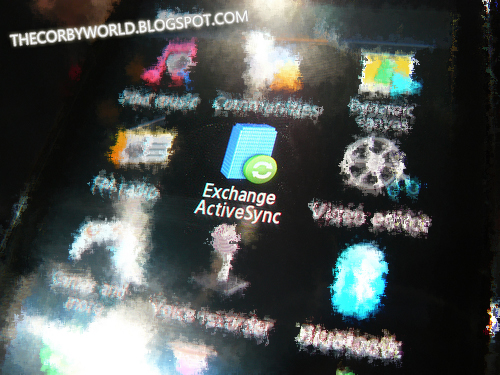
6.Now go to home screen again and lookout for the icon of ActiveSync which looks like a Green Sync button above a blue building. (Refer to the topmost picture)
7. Drag it to main screen.
8.You shall see 4 buttons: Sync || Create email || Inbox || Push Start
It’s done now!!!!! Enjoy with Sync!
Widget (Expanded)
Widget - (Compacted)


Note Below:
 1. I used TATA Docomo APN Settings for setup of Exchange ActiveSync. These settings may / may not work with other access points. If it doesn’t work,  please let us know in the comment form
2. Please bear with us if we have printed something wrong.

27 March 2011

SMS Cocktail - A broad collection Of SMS'


The Splash Screen
Categories


So, who doesn’t like to SMS? There’s no one! Almost all teenagers today use this feature to communicate. We all know it’s importance in our lives. But, being creative and making some new messages might be a difficult task for many.

Here I present ”SMS Cocktail”. So, what is it?

SMS Cocktail is your all in one solution for everything related to sms. It contains hundreds of inbuilt messages. 

There are 4 categories:
  1.  Love
  2. Jokes
  3. Congratulations
  4. Picture SMS or ASCII Messages.

Features-
  •   Lots of preset messages
  •  Easy navigation through touch
  • Picture/ASCII SMS
  • Congratulate your friends on their B’Day and your father or mother on Father’s Day or Mother’s day
  • Laughing is guaranteed 100% ! Just hop into the jokes section.
  • Send SMS through the app
  • Add contacts from your Phonebook
  • Lots more features.

Download this amazing app now!


This is our first app converted from normal to touch for Corby! Enjoy and please donate!


Tags: sms cocktail full touch, touchscreem sms cocktail, sms cocktail, touchscreen sms app, touchscreen sms software, touchscreen sms for corby, free sms for corby, samsung corby sms cocktail, love, romantic sms for corby, free corby sms software

01 March 2011

The Best Drawing Software for Corby

ScribPad

Well, you might have seen many inbuilt drawing apps on other touchscreen phones and might have wondered if there was a drawing app for Corby too. Yes, now your wish has come true.
So, Presenting "ScribPad". ScribPad is a nice little app which weighs only 30 kb. This tiny little app will allow you to scribble short messages, use different colours, and styles. You can use rectangles, circle and other shapes to decorate your scribbling too. And what's more? You can save your scrible too!
So, what are you waiting for? DOWNLOAD THE FULL TOUCH VERSION OF ScribPad v2 NOW:


Twitter Delicious Facebook Digg Stumbleupon Favorites More